Scene 01 · Series · Movies · Anime
I Watched
This
A separate rating and review for every episode and season. Protected from spoilers, made to share with friends.
- Free
- No ads
- English and Türkçe
- 4levels to rate: movie, series, season, episode
- 8 + 5feelings and review reactions
- 2languages: English and Türkçe
- 0ads, 0 cost
Scene 02 · Why?
Every frame gets its say
More than logging what you watched: review every episode, stay safe from spoilers and watch together with friends.
Every episode gets its own say
One overall score is not enough. Rate and review a movie, a series, every season and every episode, and read others’ takes episode by episode.
Spoilers will not find you
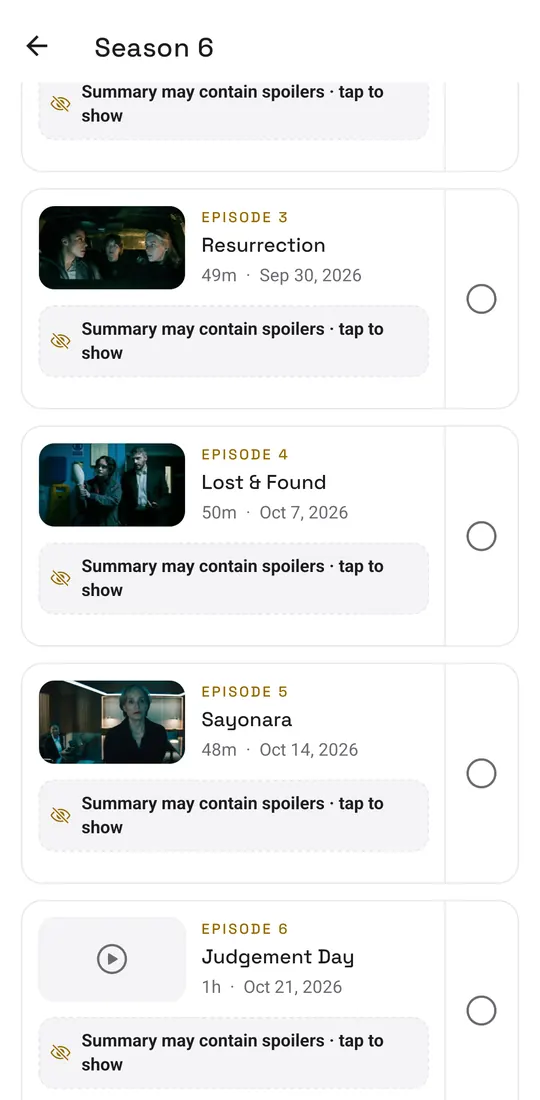
The text of spoiler reviews is never sent to people who have not watched. Summaries of unwatched episodes stay hidden until you tap.
Do not watch alone
Follow friends, send “watch this” tips and react to reviews. Keep your profile private if you like.
Scene 03 · How it works
Start in three steps
Find what you want, mark it as you watch, share how it felt. The app remembers the rest.
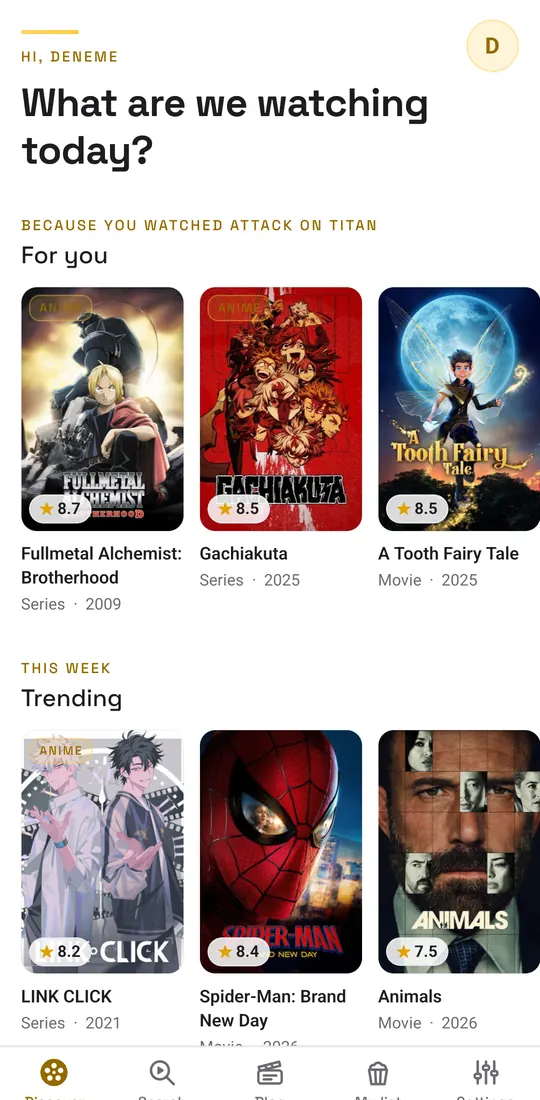
Search and add
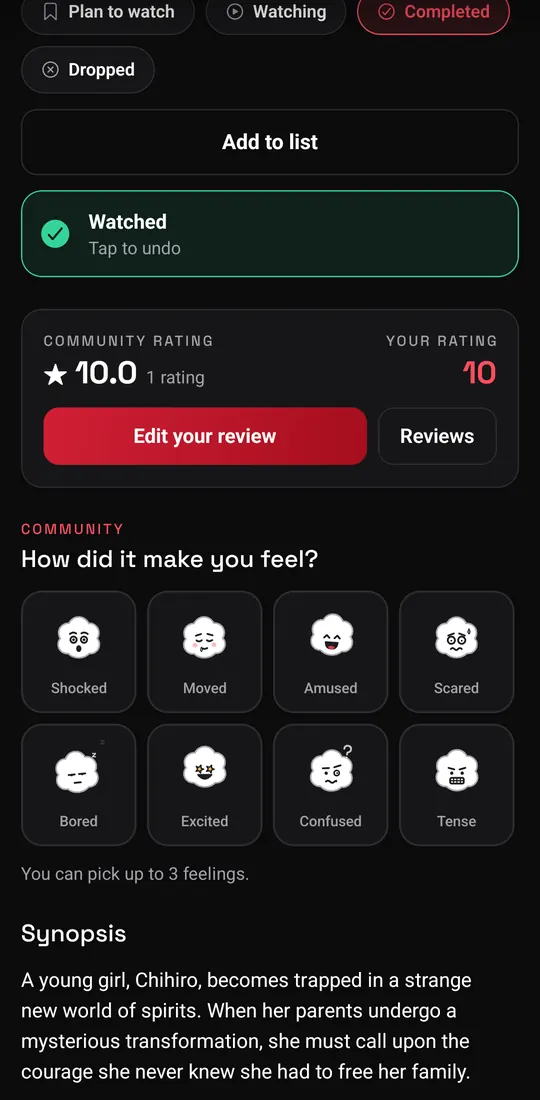
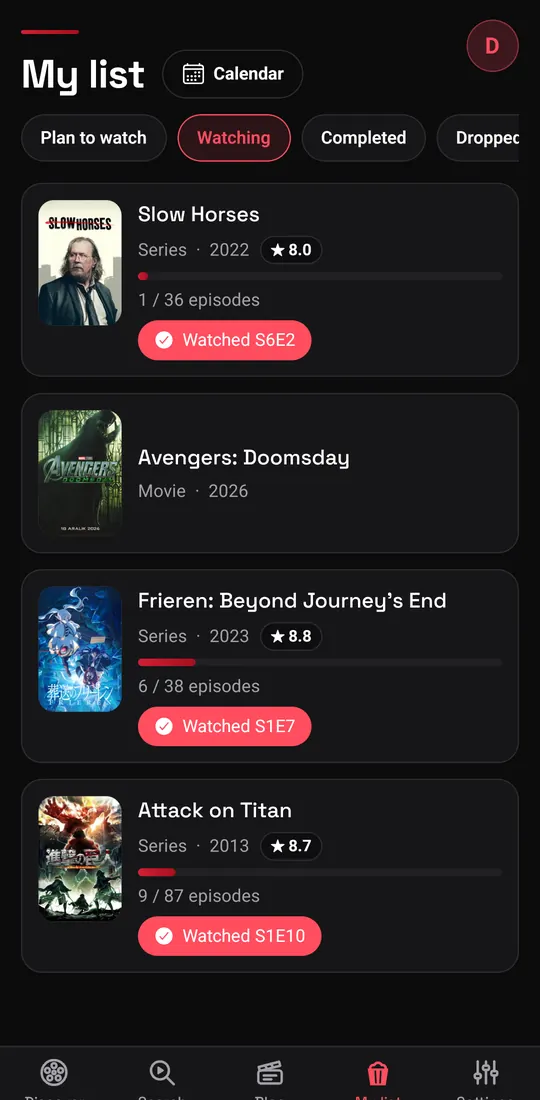
Find a series, movie or anime and add it as plan to watch, watching or completed.
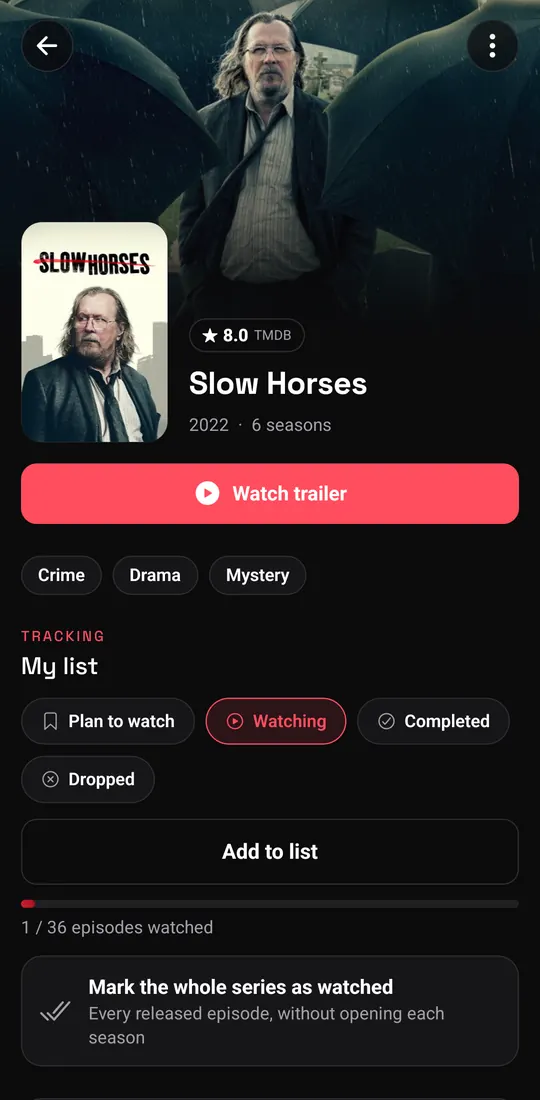
Mark as you watch
Tick episodes, complete a whole series in one tap and pick the date.
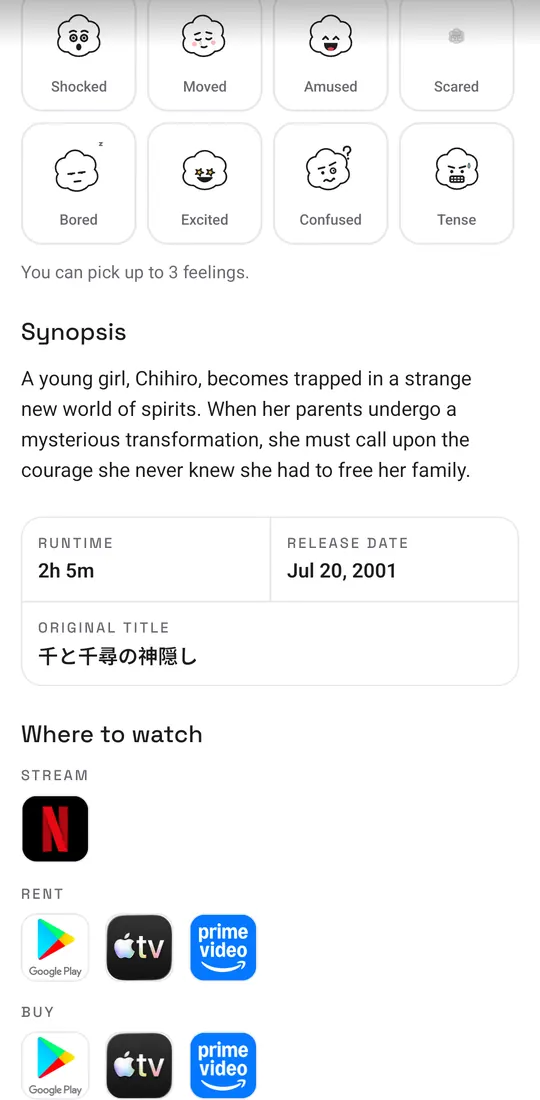
Review and share
Rate, share how it felt, recommend to friends and send your recap card.
Scene 04 · Screens
A look inside
Real screenshots. Swipe sideways.
Scene 05 · Close-up
Close-up
Five scenes that make the app different.
CLOSE-UP 01
Spoiler-free talk
When you write a review, mark it as containing spoilers: its text is never sent from the server to people who have not watched that title. So the protection is a real lock, not just something hidden in the app.
- Summaries of unwatched episodes stay hidden until you tap
- Spoiler reviews open only for people who watched
- Turn it off in Settings if you like
CLOSE-UP 02
Watch together
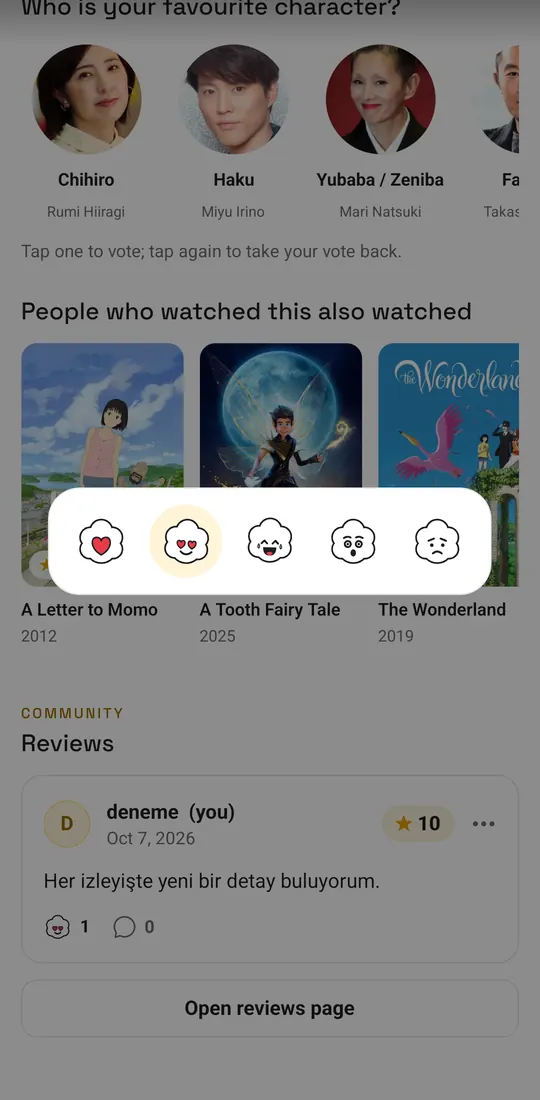
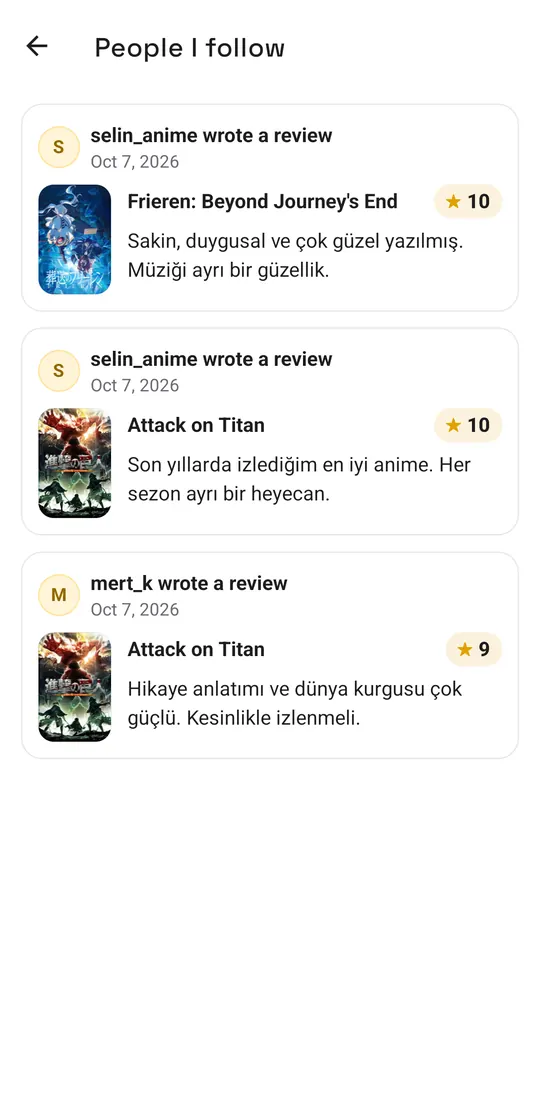
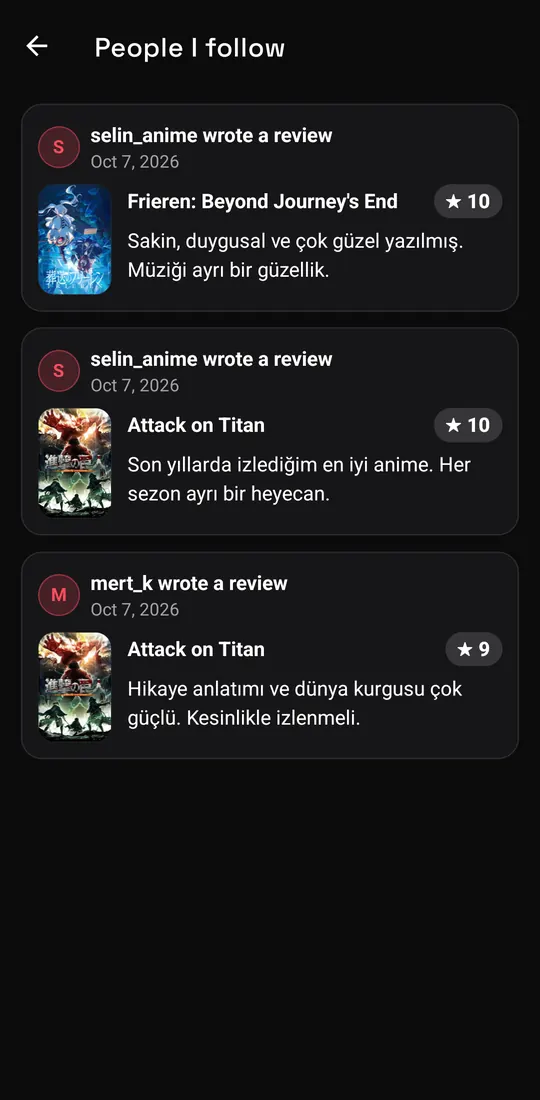
Follow friends and see their reviews and finished titles in your feed. Recommend a title with a short note and answer reviews with five different reactions.
- Friends feed and “watch this” tips
- Love it, funny, wow… five reactions
- Keep your profile private if you like
CLOSE-UP 03
Never miss an episode
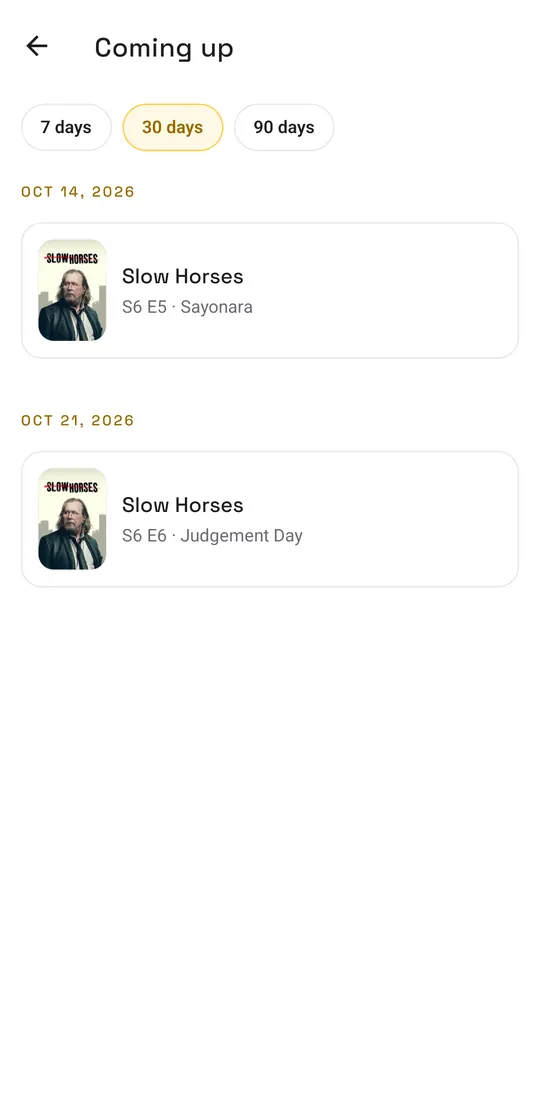
New episodes of your shows and movie release dates in one calendar. See where to watch, based on the country you are in.
- Upcoming release calendar
- “Where to watch” for your country
- Optional new-episode alerts with an “I watched it” button
CLOSE-UP 04
Your watch diary
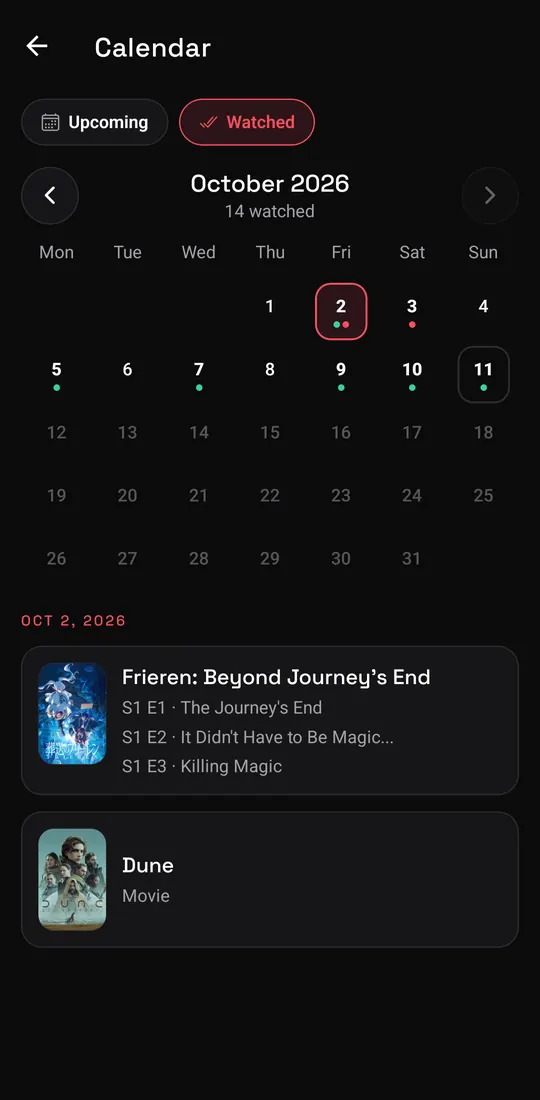
See what you watched on which day on a month calendar: movies and series with season and episode numbers. Tap a day to open what you watched.
- A month calendar with dots on days you watched
- Every movie and episode of that day, with season and episode numbers
- Day boundaries follow your phone’s time zone
CLOSE-UP 05
Your watching recap
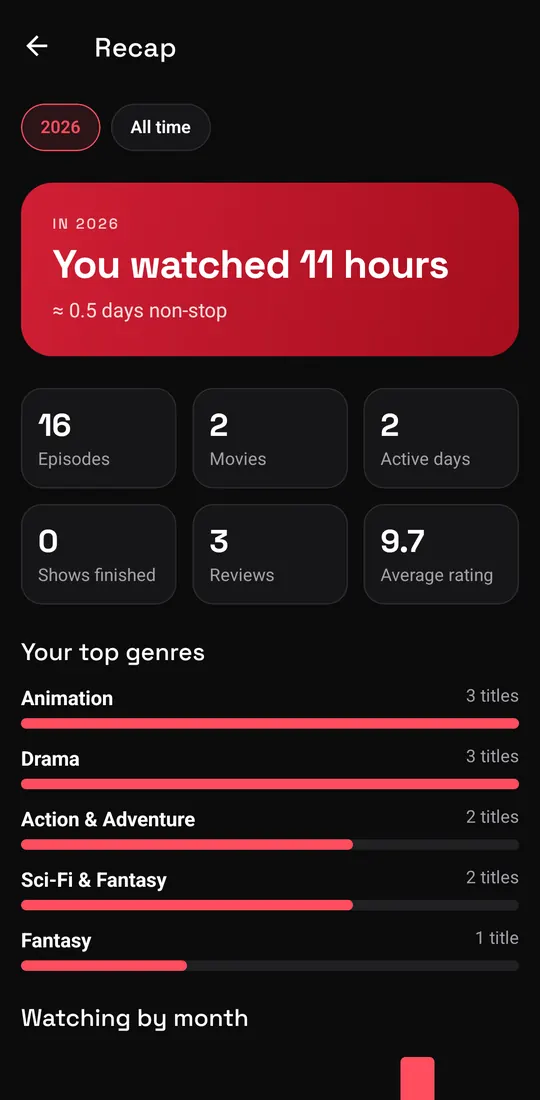
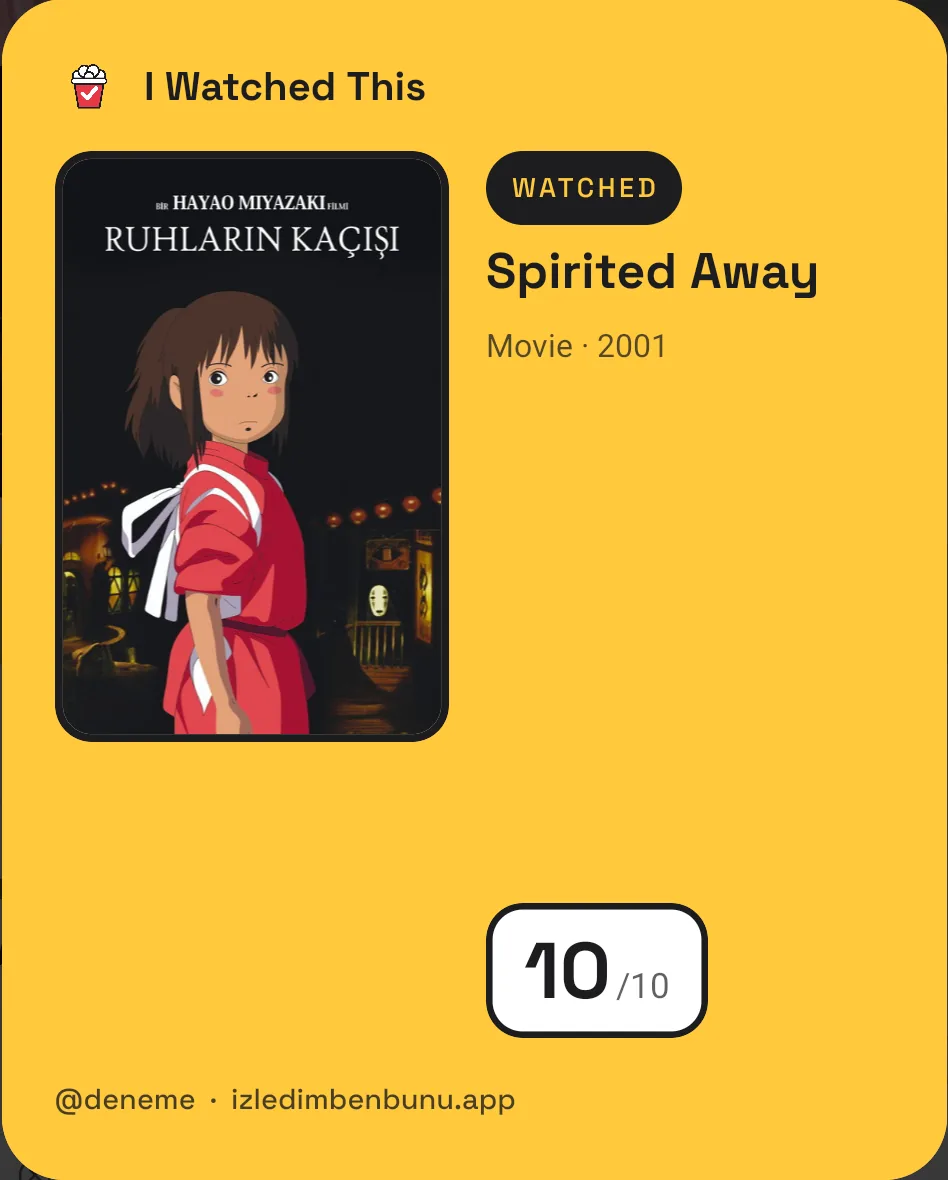
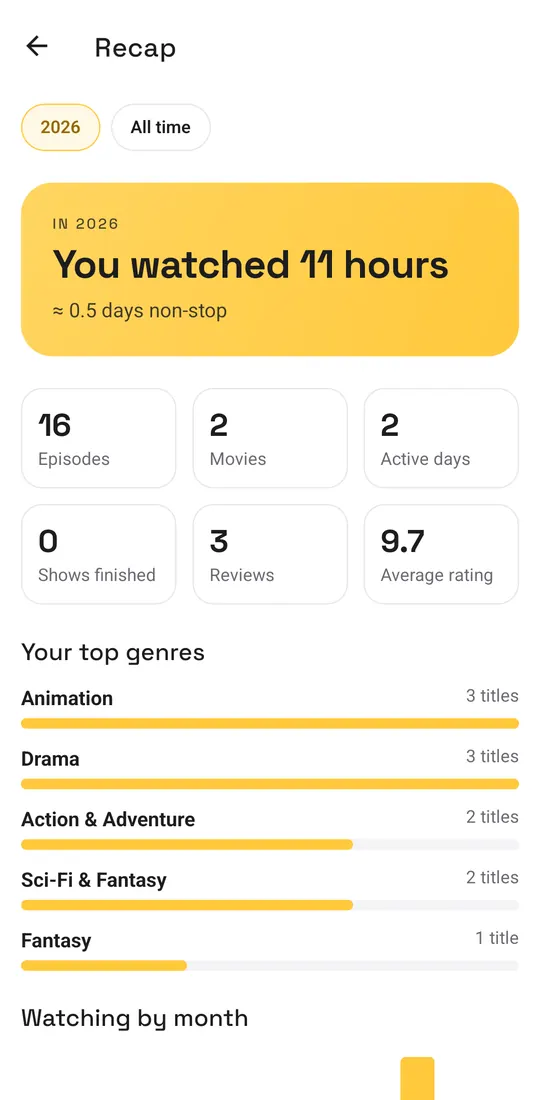
See how many hours you watched and your favourite genres and months. Share your recap, or a title card with your rating, as an image in one tap.
- Recap by hours, genres and months
- Share cards with your rating
- Your list stays with you offline
Scene 06 · What you can do
What you can do
Everything you expect from a tracker, and a little more.
Rate and review every level
Write a rating and review for a movie, a series, every season and every episode.
Spoiler protection
Spoiler reviews are never sent to people who have not watched; summaries of unwatched episodes stay hidden.
Effortless tracking
Plan to watch, watching, completed, dropped. Mark a whole series in one tap and pick your watch date.
Animated emoji
Answer “How did it feel?” with corn-kernel characters and vote for your favourite character.
Reactions on reviews
Five reactions instead of one like: love it, funny, wow, sad…
Follow and feed
Follow friends and see their reviews and finished titles in your feed.
“Watch this” tips
Recommend a title to a friend with a short note.
For you and lists of the month
Picks based on your taste and the community’s most liked lists.
Calendar: upcoming and watched
Never miss a new episode or a premiere, and see what you watched on which day, episode by episode.
Where to watch
Platforms for the country you are in; filter by Netflix, Prime and more.
Recaps and share cards
Your yearly recap and title cards, ready to share as images.
Offline and alerts
Browse your list without internet; optional new-episode alerts with an “I watched it” button.
Scene 07 · The cast
Starring: corn kernels
The app's emoji were born from the kernel in our logo.

 LikeFirst love

 LoveRomance

 FunnyComedy

 WowThriller

 SadDrama
Answer reviews with these five reactions, and “How did it feel?” with eight animated corn characters.
Scene 08 · Trust
Use it with confidence
Free and ad-free
No ads, no tracking of viewers, no advertising ID.
Your data is yours
Delete your account and all your data any time from the app or the web. How to delete
Community safety
Reporting, blocking and moderation; a private profile option. Terms of use
Transparent privacy
We state plainly what we collect and why. Privacy policy
Guides
Guides
Short guides on tracking series, movies and anime. All guides →
Series tracker app: what to look for
What a good series tracker app should have: episode-level progress, season and episode ratings, spoiler protection, an upcoming-episodes calendar and where-to-watch data.
Anime tracking, episode by episode
What you need to track anime: episode progress for long shows, season ratings, anime movies, a new-episode calendar and spoiler-free reviews.
How to write and read spoiler-free reviews
Ways to read series and movie reviews without spoilers: episode-level reviews, spoiler flags and a spoiler protection that actually hides the text.
Watch diary: what did you watch, and when?
How to log which movie or episode you watched on which day: watch dates, a month calendar, season and episode detail, a yearly recap and importing.
Scene 09 · FAQ
Frequently asked questions
Is it free?
Yes, the app is free and has no ads.
Which devices does it run on?
It runs on Android; you can get it on Google Play.
Where does the series and movie data come from?
Posters, summaries, season and episode lists come from TMDB; “where to watch” data comes from JustWatch via TMDB.
Which country is “where to watch” shown for?
Your country is inferred from your phone’s time zone (no location permission is asked). You can pick another country in Settings.
How does spoiler protection work?
When you write a review you can mark it as containing spoilers; its text is never sent from the server to people who have not watched that title. Summaries of episodes you have not watched also stay hidden until you tap (can be turned off in Settings).
Can I use it offline?
Yes. What you last saw is kept on your device, and marks you make offline are sent when you are back online.
Can I see what I watched and when?
Yes. The “Watched” tab in Calendar shows on a month calendar which movies and episodes you watched on which day, with season and episode numbers for series. Entries without a watch date do not show.
How do I delete my data?
You can delete your account in Settings, or on the web. See the “Delete account” page for details.
Final scene
More in the app
The app is now on Google Play, free and ad-free. You can read the blog too.
Get it on Google PlaySeries and movie data is provided by TMDB. This product uses the TMDB API but is not endorsed or certified by TMDB.